Steal A Verity Controls
Input reference for steals, hotbar pets, and high-Speed movement.
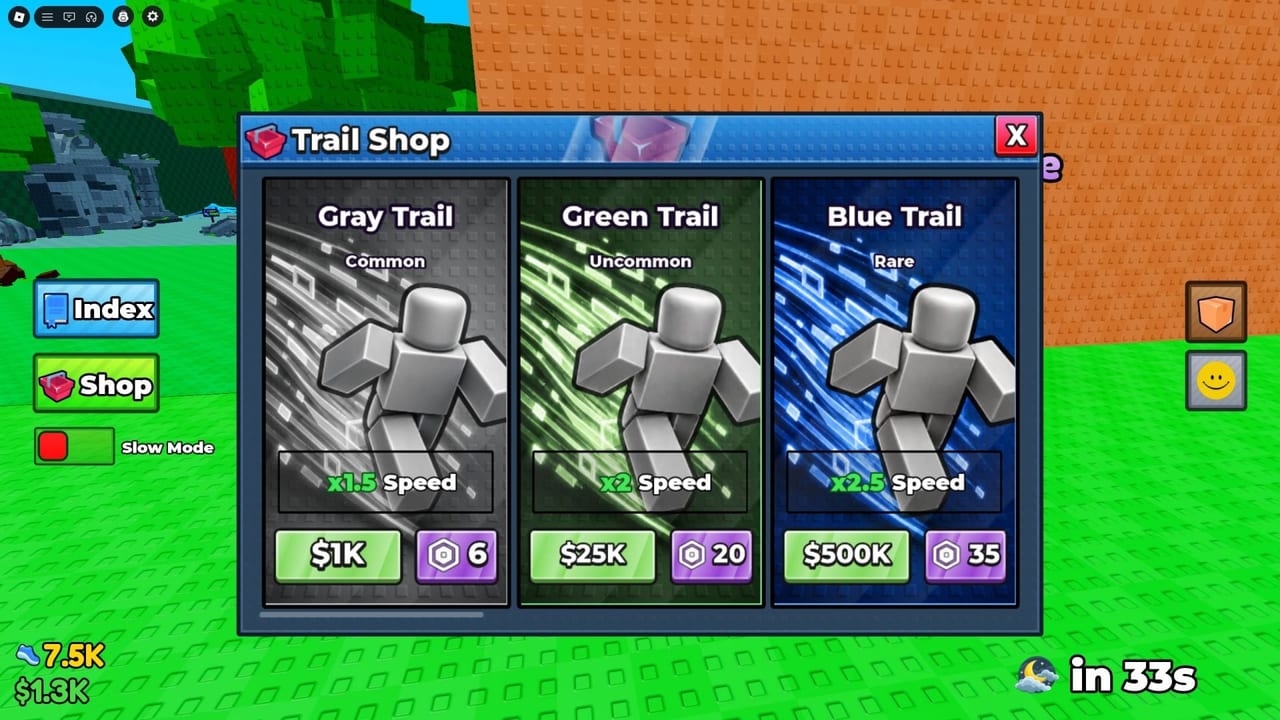
This Controls guide is the quick reference for Steal A Verity on keyboard and mouse. Clean inputs matter more as Trails raise your Speed: the same mistake that was forgivable at Gray Trail becomes a lost box at Rainbow or Galaxy. Use this page beside How to Steal and Getting Started.
Default control map
| Input | Action |
|---|---|
| W A S D | Move |
| Space | Jump |
| E | Interact (steal boxes, use world prompts) |
| 1–0 | Equip hotbar slots |
| LMB | Use / place |
These bindings match the documented Steal A Verity control set. If you rebound keys in Roblox settings, translate the table to your layout mentally before practicing chases.
Movement: WASD
Strafing with A/D while holding W keeps camera-facing speed without awkward pivots. During Monster Verity chases, wide 180° mouse turns plus pure W-key running clip corners poorly. Practice:
- Approach a box with W and slight strafe
- Tap E without stopping longer than needed
- Strafe around props on the return path
- Release forward only when you must adjust camera through a tight door
High Trail multipliers amplify overcorrection. After buying Blue, Red, or higher from the Trails guide, spend two minutes in a safe area just moving—do not jump straight into contested steals.
Jump: Space
Jump clears low props and maintains momentum across uneven terrain. Spam-jumping can actually slow you if landing recovery interrupts sprint rhythm. Use Space intentionally:
- Jump onto plot edges when the ramp line is contested
- Jump over debris mid-chase when the alternative is a full stop
- Avoid jump-spam while aligning E interact on a box
Interact: E
E is the steal key and the general interact key. Missed interacts happen when you press too far from the prompt or while jumping. Plant briefly, press E, then accelerate. If interact fails, step closer—do not spin in place while Monster Verity closes (once a steal already started elsewhere, timing differs, but for the pickup itself proximity matters).
World upgrades at your base—treadmill prompts, Fuse Machine, slot vendors—also rely on interact habits. Systems detail sits in Treadmill and Base.
Hotbar: keys 1–0
Number keys 1 through 0 equip hotbar slots. Keep frequently used tools or placeable items on low numbers so your fingers never leave movement posture. Mid-chase hotbar digging is how boxes die. Before a rare-zone run aimed at community S-tier pets (Pets tier list), preset the hotbar and leave it alone until you bank.
Use / place: LMB
Left mouse button uses or places the equipped item. Placement mistakes near plot edges can waste time you needed for the next steal. When placing pets or objects on the base:
- Equip with a number key
- Aim with the mouse
- Click LMB once deliberately
- Confirm the pet occupies a slot generating Cash (Players hub)
Camera and mouse habits
Roblox camera sensitivity is personal, but Steal A Verity rewards stable tracking more than flick shots. Lower sensitivity slightly if high Speed makes you over-aim into walls. Keep the chase target and your plot direction in a single mental line—obsessive camera spins cost Speed.
Mobile and controller notes
This wiki documents the keyboard/mouse reference above. On touch or gamepad, map the same actions: move, jump, interact, hotbar, use/place. Whatever the device, the steal loop stays identical: gate check → interact → escape → bank.
Drills that improve control under pressure
- Empty lane sprint: run plot → low zone → plot without stealing until pathing is smooth
- Interact timing: approach five boxes and press E at the earliest valid range without bumping into them awkwardly
- Hotbar blind: equip slots 1–3 without looking away from the world
- Post-Trail calibration: after each new Trail purchase, repeat drill 1 before contested play
How controls connect to progression
Better inputs raise the value of every Cash investment. A Galaxy Trail cannot save a player who mis-taps E or panics the camera. Conversely, strong controls let mid Trails punch above their weight in seven-player servers. Pair this page with the Guides Hub learning path and re-check after [UPD] patches that might tweak movement feel (Updates Hub).
Related pages
- How to Steal — apply these inputs in chases
- Getting Started — first-hour context
- Trails — why Speed changes control difficulty
- Secret Verity — high-stakes input situations
- Scripts Hub — why some players automate inputs (ToS caution)
Print the table mentally: WASD, Space, E, 1–0, LMB. Everything else in Steal A Verity is strategy layered on those five habits.
Frequently Asked Questions
Quick answers for Steal A Verity players.
What are the Steal A Verity keyboard controls?
WASD to move, Space to jump, E to interact, keys 1–0 to equip the hotbar, and left mouse button to use or place.
Which key steals a Verity box?
Press E to interact when you are in range of the box, then move immediately to escape the chase.
Why do I miss interacts while jumping?
Interact needs proximity and stable positioning. Land or plant briefly, press E, then accelerate instead of jump-spamming on the prompt.
How should I use the hotbar during chases?
Preset slots before the run and avoid digging through keys 1–0 while Monster Verity is active.
Do higher Trails change controls?
Bindings stay the same, but higher Speed multipliers make oversteering worse—recalibrate movement after each major Trail upgrade.
Where should I practice controls?
Run empty pathing drills between your plot and a low zone before contested steals, especially after buying a new Trail.